Install and activate your MolaHop eSIM on iPhone and Android
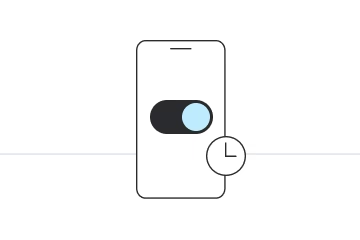
Install just hours before your trip and activate during your flight or when you arrive at your destination.
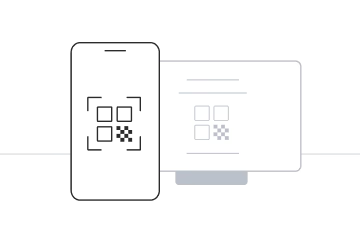
Learn step by step
Select the type of installation you wish to perform
Before you start:
- Install the eSIM before you travel, while you're on WiFi.
- Set up your data when you arrive.
- Don't delete the eSIM after installing it: scanning the QR again won't bring it back. If you need to reinstall it, message us first.
- Install it on the phone you'll travel with: once installed, the eSIM is tied to that phone.
- Open the email we sent youIt contains your QR code. Open it on a second screen or print it: you scan it with the iPhone you are installing on.
- Go to Settings → CellularTap "Add eSIM", then "Use QR Code", and point your camera at the QR code on the other screen.
- Finish installingConfirm the plan and label the eSIM "MolaHop".
- When you landGo to Settings → Cellular → Cellular Data, select MolaHop and turn off "Allow Cellular Data Switching". Turn on Data Roaming in Settings → Cellular → MolaHop, and turn off Data Roaming on your home SIM to avoid charges from your carrier.
Before you start:
- Install the eSIM before you travel, while you're on WiFi.
- Set up your data when you arrive.
- Don't delete the eSIM after installing it: scanning the QR again won't bring it back. If you need to reinstall it, message us first.
- Install it on the phone you'll travel with: once installed, the eSIM is tied to that phone.
- Open the email or WhatsApp we sent youOpen it on the iPhone you will travel with, not on another device.
- Tap the iPhone linkWorks on iOS 17.4 or later. The eSIM setup opens directly: no QR code and nothing to type.
- Finish installingFollow the on-screen steps and label the eSIM "MolaHop".
- When you landGo to Settings → Cellular → Cellular Data, select MolaHop and turn off "Allow Cellular Data Switching". Turn on Data Roaming in Settings → Cellular → MolaHop, and turn off Data Roaming on your home SIM to avoid charges from your carrier.
Before you start:
- Install the eSIM before you travel, while you're on WiFi.
- Set up your data when you arrive.
- Don't delete the eSIM after installing it: scanning the QR again won't bring it back. If you need to reinstall it, message us first.
- Install it on the phone you'll travel with: once installed, the eSIM is tied to that phone.
- Open the email we sent youIt contains your QR code. Open it on a second screen or print it: you scan it with the phone you are installing on.
- Open the eSIM settingsSamsung: Settings → Connections → SIM manager → Add eSIM. Pixel: Settings → Network & internet → SIMs → Add eSIM. Choose to scan a QR code and point the camera at it.
- Finish installingFollow the on-screen steps and label the eSIM "MolaHop".
- When you landSelect MolaHop as your data line. Samsung: Settings → Connections → SIM manager → Mobile data → MolaHop. Pixel: Settings → Network & internet → SIMs → Mobile data → MolaHop. Turn on Data roaming for the MolaHop eSIM (Samsung: Settings → Connections → Mobile networks), and turn off Data Roaming on your home SIM to avoid charges from your carrier.
Before you start:
- Install the eSIM before you travel, while you're on WiFi.
- Set up your data when you arrive.
- Don't delete the eSIM after installing it: scanning the QR again won't bring it back. If you need to reinstall it, message us first.
- Install it on the phone you'll travel with: once installed, the eSIM is tied to that phone.
- Open the email or WhatsApp we sent youOpen it on the Android phone you will travel with, not on another device.
- Tap the Android linkWorks on Android 10 or later with Google Play services up to date. The eSIM setup opens directly: no QR code and nothing to type. If the link doesn't open the installation, use the QR code.
- Finish installingFollow the on-screen steps and label the eSIM "MolaHop".
- When you landSelect MolaHop as your data line. Samsung: Settings → Connections → SIM manager → Mobile data → MolaHop. Pixel: Settings → Network & internet → SIMs → Mobile data → MolaHop. Turn on Data roaming for the MolaHop eSIM (Samsung: Settings → Connections → Mobile networks), and turn off Data Roaming on your home SIM to avoid charges from your carrier.